
## Quick Service Mode
Quick Service Mode is designed for quick service shops, like KFC, Mcdonald's, bar, milktea station, etc.
* * * * *
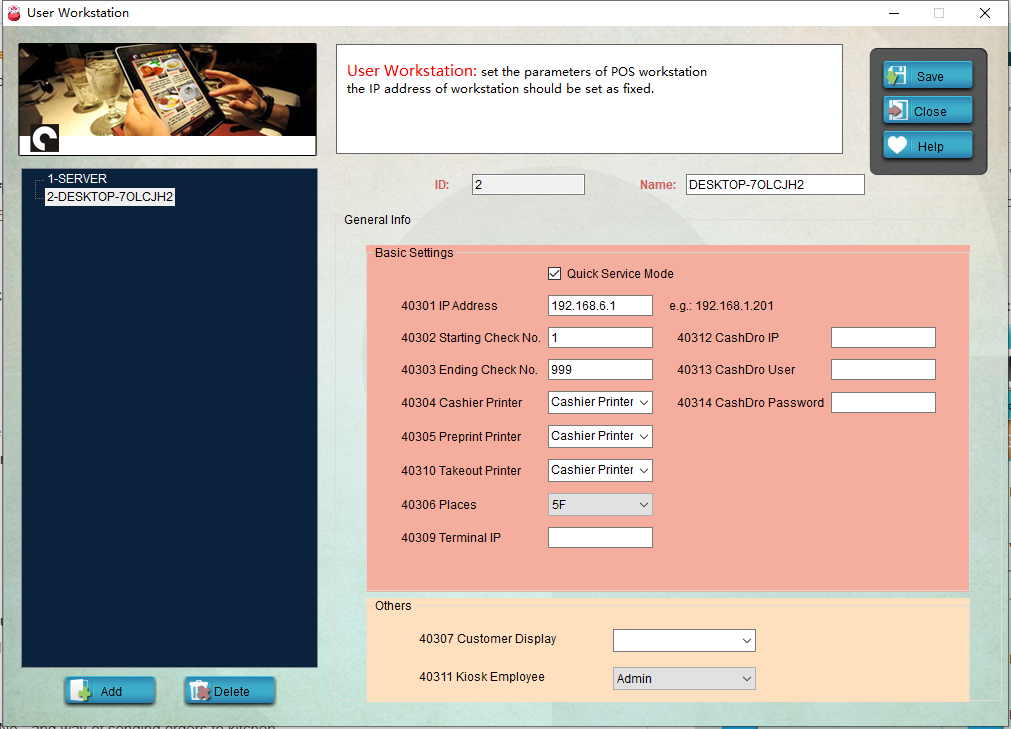
1. Run **Pudding Configuartor** ———— **Device** ———— **User Workstation**.

* * * * *
2. If you only have 1 PC, tick "Quick Service Mode" and save the modification.
* * * * *
3. If you have 2 or more PCs, choose the one you want, tick "Quick Service Mode" and save the modification.
4. Restart **Pudding Orders** to activate quick service.
* * * * *
## Other Settings
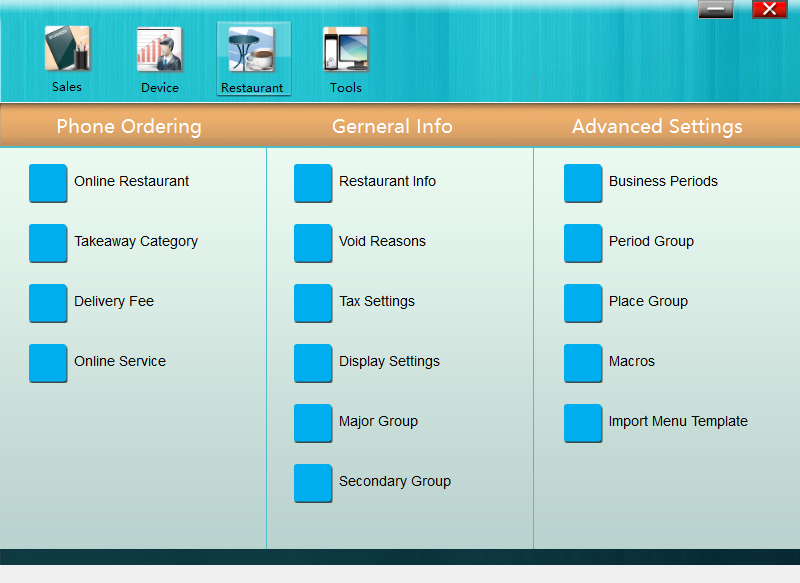
1. Run **Sandy Configuartor** ———— **Restaurant** ———— **Restaurant Info**.
* * * * *
2. Set "Input Customer No." and way of sending orders to kitchen.
3. Restart **Pudding Orders** to activate quick service.
- Introduction to Pudding POS Management Software
- 1. Register
- 2. Orders
- 2.1 Login
- 2.2 Order
- 2.2 Pay
- 2.3 Cashier Shift & End of Day
- 3. Configurator
- 3.Setting the restaurant information
- 3.1 Modify Menu Items
- 3.2 Print Receipt
- 3.3 Table Settings
- 3.4 Employee Management
- 3.5 Discount
- 3.6 Tax Settings
- 3.7 Service Charge
- 3.8 Quick Service
- 3.9 Backup and Restore
- 4.0 Switch points floor