
Restaurant manager needs to set an account for each employee in order to better manage the business. Employee management includes employee authority, performance, etc.
* * * * *
## Add an employee account
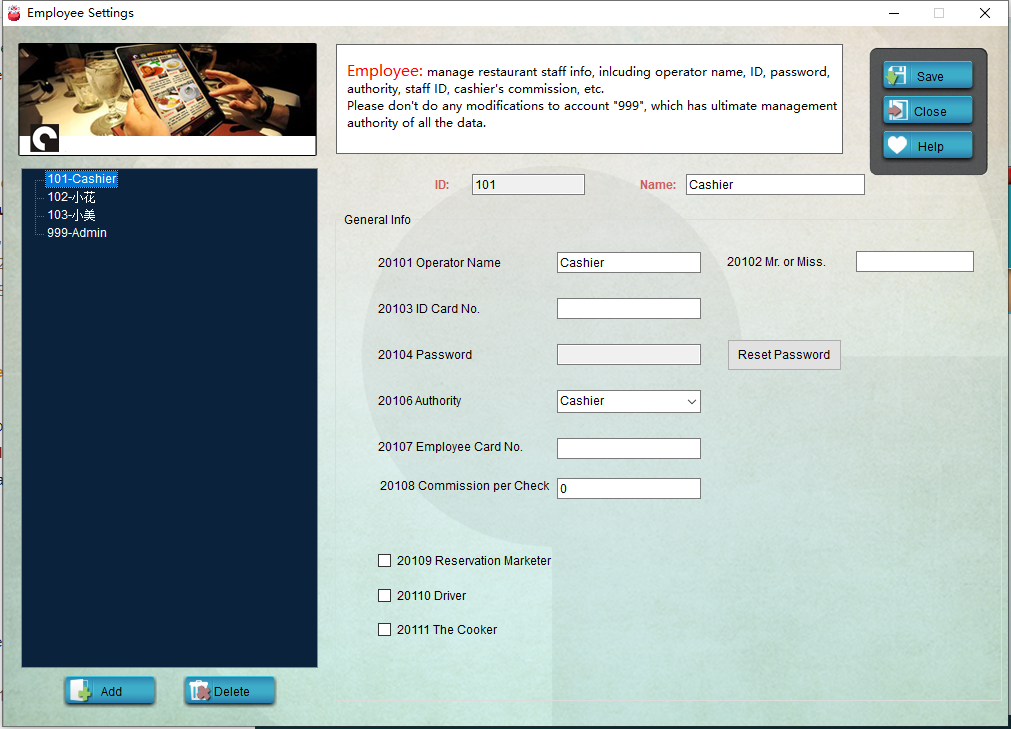
Run **Pudding Configurator** ———— **Device** ———— **Employee Settings**, click "Add" on the left bottom to add a new employee, set Name, Employee ID, Authority, Password, etc. for him or her.

* * * * *
## Delete an employee account
1. Right click on an employee, choose "Delete Employee", or click an employee and click "Delete" on the left bottom, you can delete the employee account.
Note. As administrator account, **999** shall not be deleted!
* * * * *
## Change password
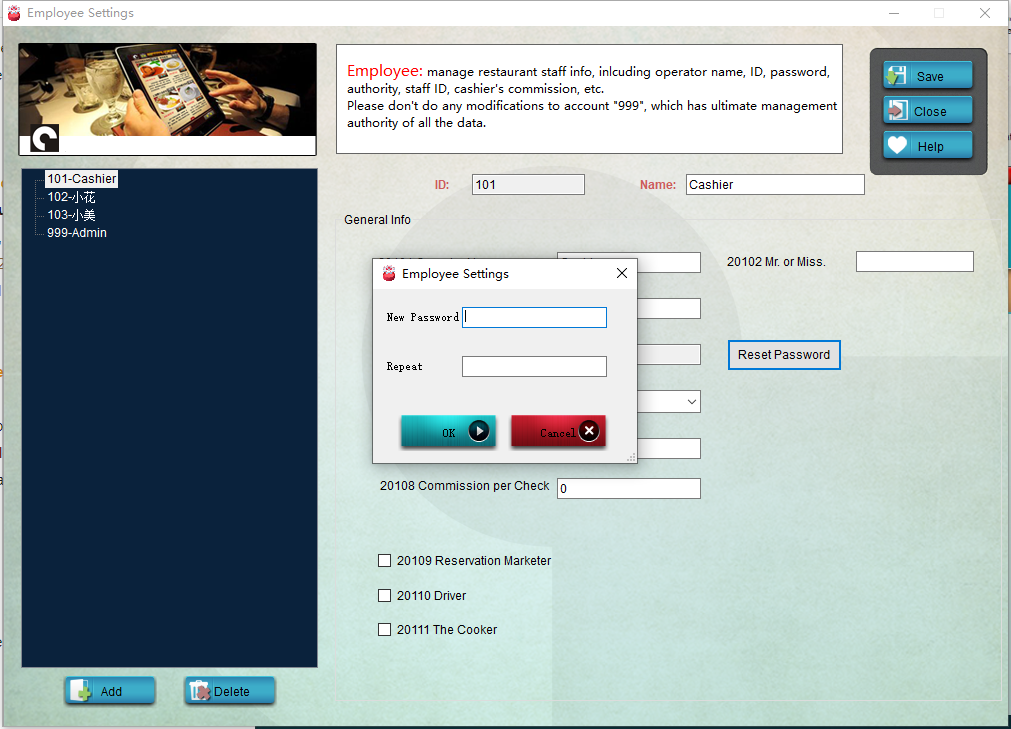
1. If you want to change the password for an employee, select the personnel, and click "Reset Password" to set a new password.
* * * * *
2. Restart **Pudding Orders** to enforce the modification.
- Introduction to Pudding POS Management Software
- 1. Register
- 2. Orders
- 2.1 Login
- 2.2 Order
- 2.2 Pay
- 2.3 Cashier Shift & End of Day
- 3. Configurator
- 3.Setting the restaurant information
- 3.1 Modify Menu Items
- 3.2 Print Receipt
- 3.3 Table Settings
- 3.4 Employee Management
- 3.5 Discount
- 3.6 Tax Settings
- 3.7 Service Charge
- 3.8 Quick Service
- 3.9 Backup and Restore
- 4.0 Switch points floor