
## Order
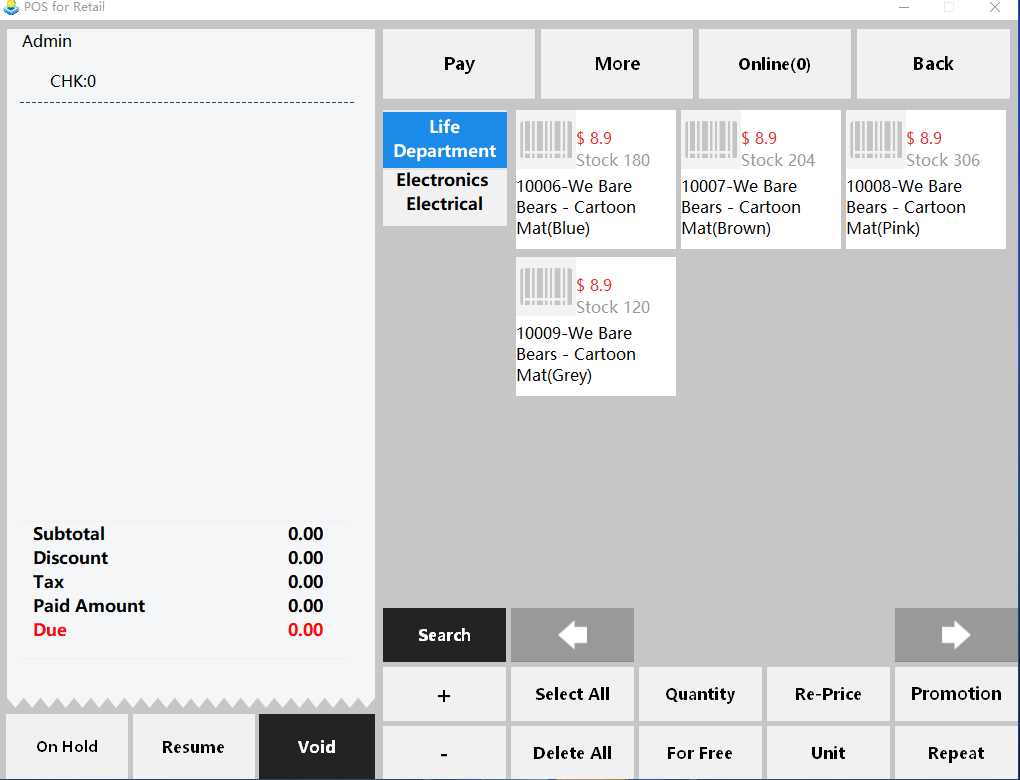
* The ordering interface is as below.
* * * * *
* The left section in blank contains the goods items that you've ordered, and the middle is major groups for goods items.
* Click a major group to show secondary group, and click a secondary group to show specific items.
* * * * *
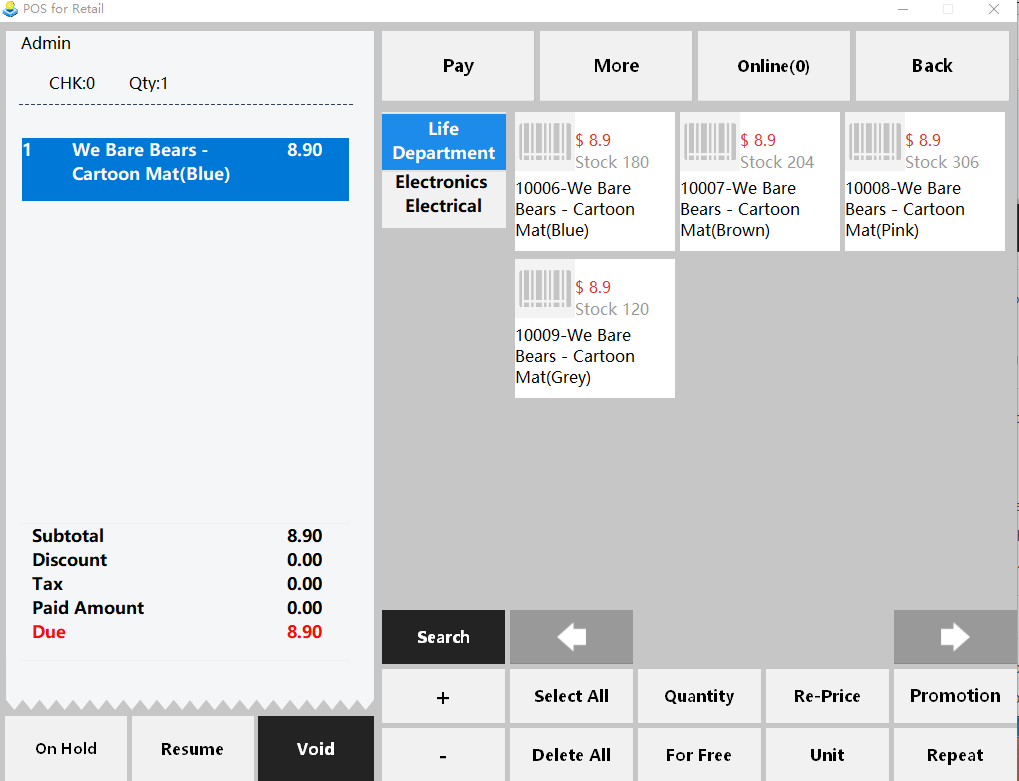
* Choose the goods you want, and they'll be displayed on the left part.
**Note**.
* Choose an goods item that you've ordered by clicking it.
* Delete and modify the goods item by clicking "Delete" or buttons on the bottom. eg. if you want to change the price to "40", just click "Price" and input "40".
* * * * *
## Scan
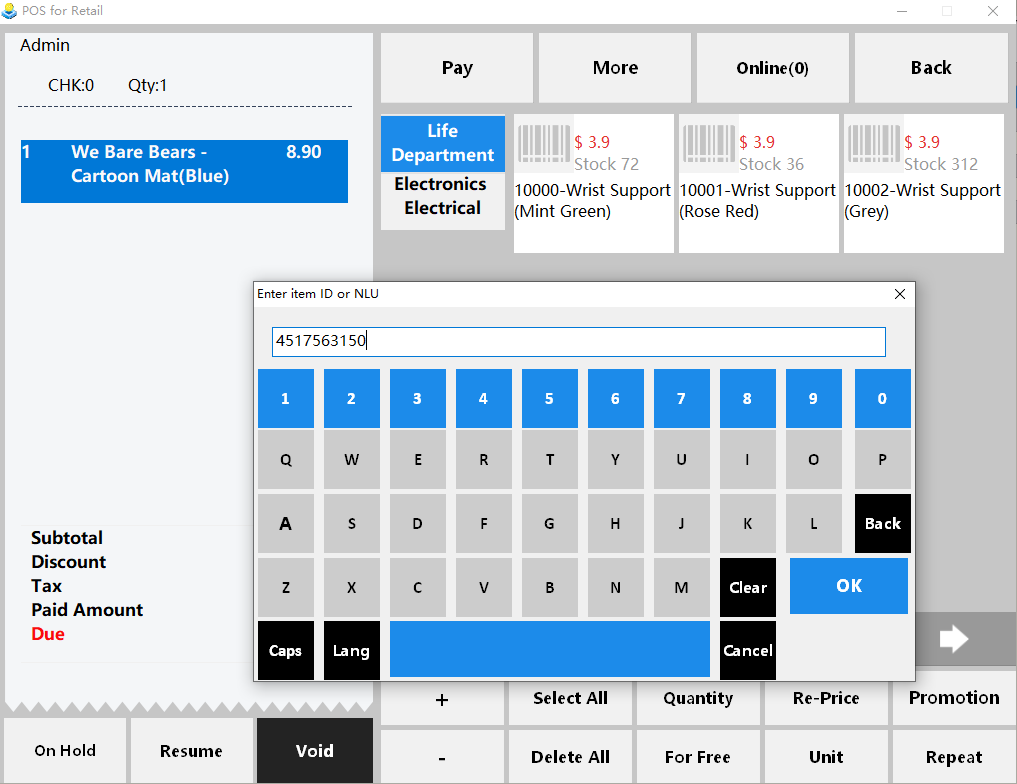
Scan the bar code on the item and add it to the left shopping cart
Or manually enter the product barcode number search
* Click "Scan" on the top of the page, will pop up an input window ,ender goods ID or NLU in the window,you can quicky find the goods (or you can using barcode gun scan the code of the goods )
- Pudding POS For Retail Software
- 1.Register
- 2.Configurator
- 2.1 Add the goods
- 2.2 Bulk import goods
- 2.3 Print Receipt
- 2.4 Sales promotion settings
- 2.5 Employee Management
- 2.6 Discount
- 2.7 Tax Settings
- 2.8 Service Charge
- 2.9 Backup and Restore
- 3.Stock in and out
- 3.1 Stock in
- 3.2 Stock out
- 4.Orders
- 4.1 Login
- 4.2 Order
- 4.3 Pay
- 4.4 Cashier Shift & End of Day