企业🤖AI智能体构建引擎,智能编排和调试,一键部署,支持知识库和私有化部署方案 广告
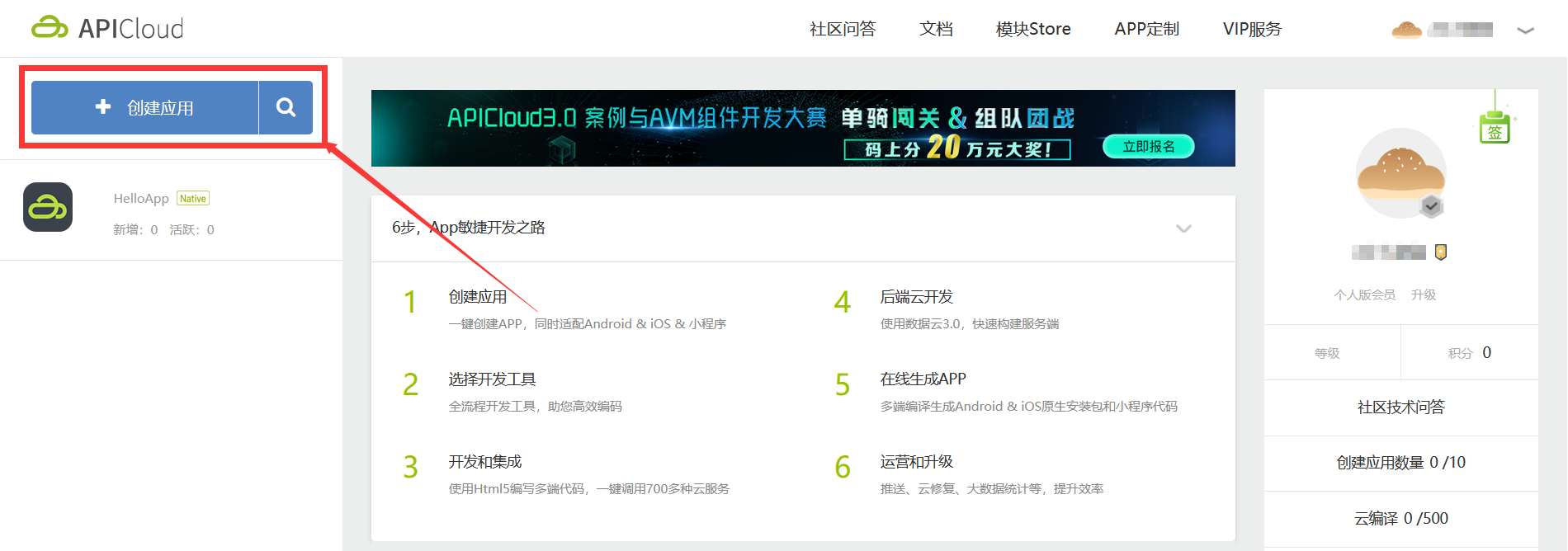
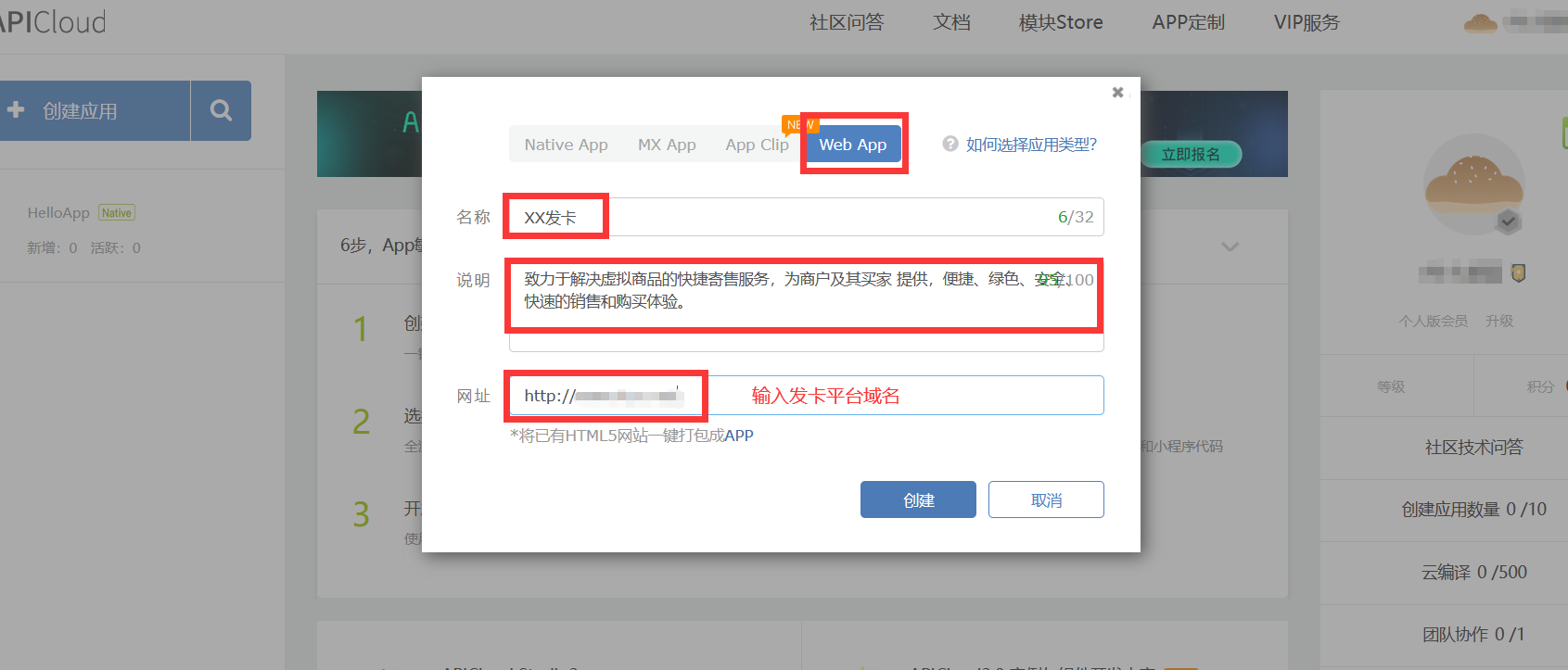
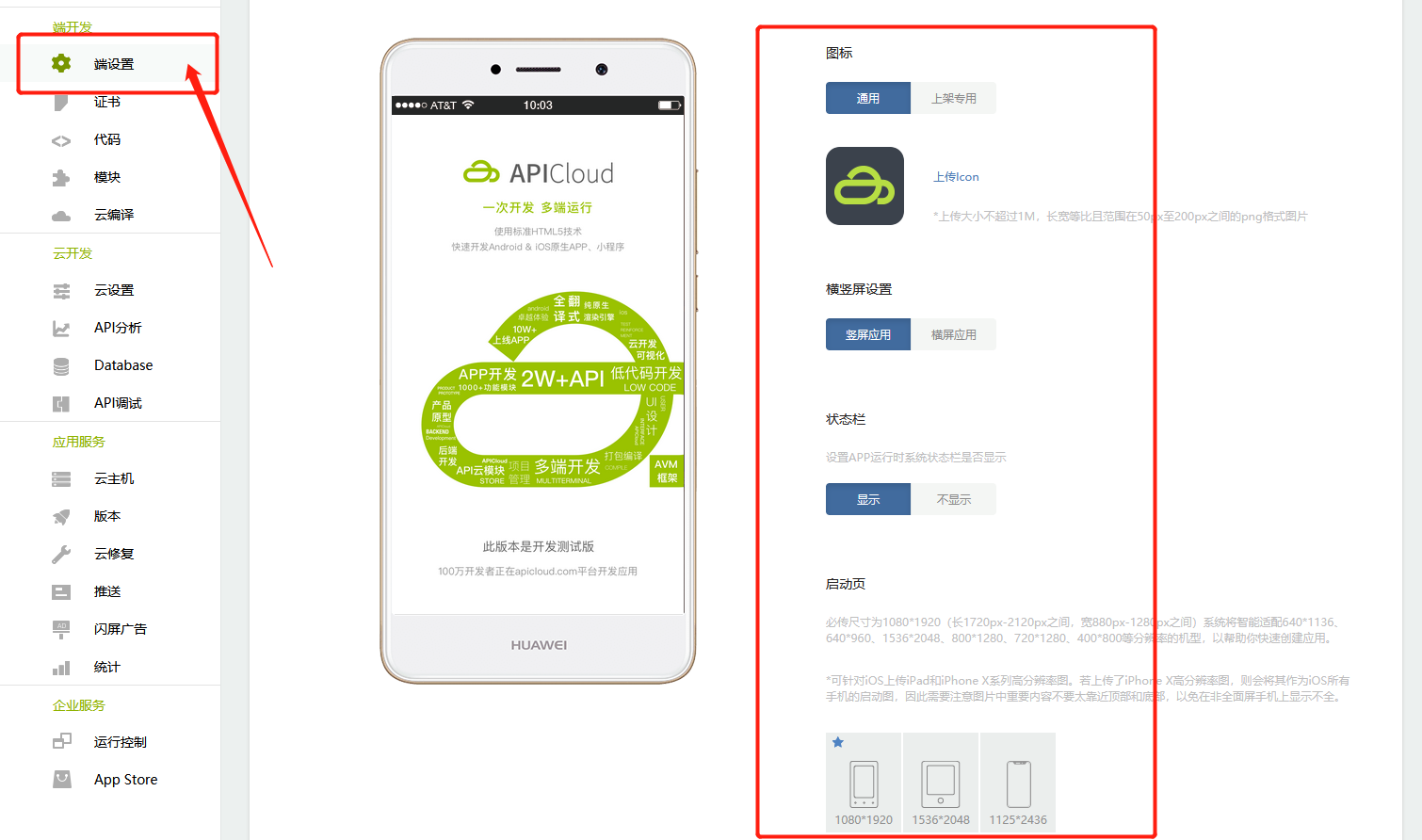
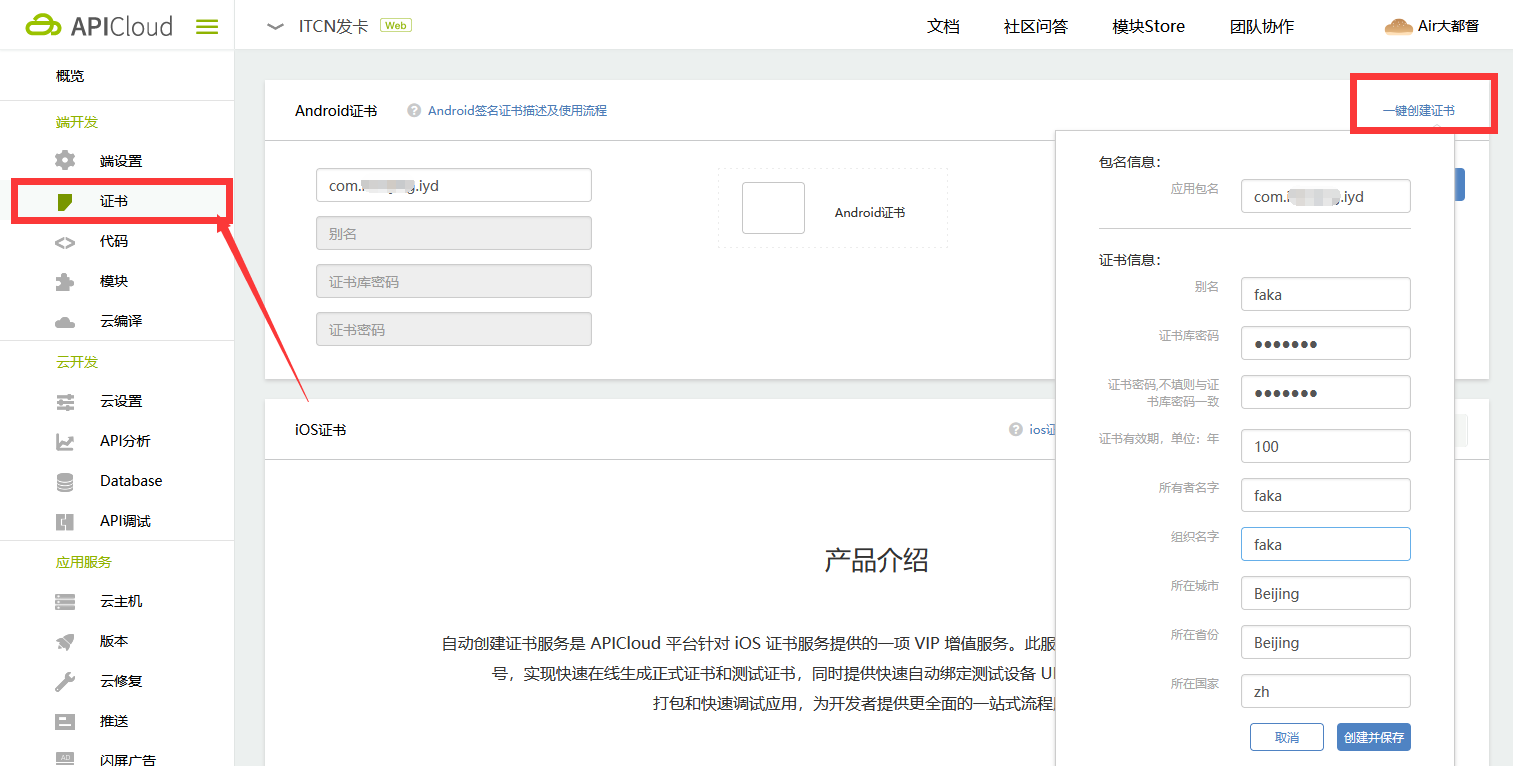
APP打包手册 **1.注册*APICloud*账号密码** 官方网站:https://www.apicloud.com/ 注册地址:https://www.apicloud.com/signup <br> **2.创建应用** ![](https://img.kancloud.cn/7c/b0/7cb061417105fa5bb6af8b771cef10ca_1900x668.png) ![](https://img.kancloud.cn/9f/c3/9fc32474e66de9db52f84b6e13230f37_1691x723.png) <br> **3.端设置相关信息(正式版应用必传图标及启动页)** ![](https://img.kancloud.cn/56/75/56756580fcedc531b5b612c346dfa083_1510x892.png) <br> **4.创建证书(以Android为例)** ![](https://img.kancloud.cn/c3/36/c336a8ab5e56635e1f895e368d3df2f5_1513x766.png) <br> **5.云编译(以Android测试版为例)** ![](https://img.kancloud.cn/e4/2b/e42b9ee3d801812f0da1129aae145bad_1867x875.png) ![](https://img.kancloud.cn/e2/7b/e27bf1e2747f87e2657da19df4e8dd49_1726x634.png) ![](https://img.kancloud.cn/bb/e5/bbe533ff2ac49c078dcb43b14cf0a0bd_775x496.png) ![](https://img.kancloud.cn/f6/44/f6449e59a0974bbf725b235aa0754447_1171x224.png) <br> **5.如要打包正式版需绑定加速域名** ![](https://img.kancloud.cn/f4/53/f453bdc6263f6bf24efb750c8526eef3_1626x118.png) 绑定说明:https://docs.apicloud.com/Others/Domain/%E8%87%AA%E5%AE%9A%E4%B9%89%E5%8A%A0%E9%80%9F%E5%9F%9F%E5%90%8D%E7%BB%91%E5%AE%9A